
Mods & Map for MCPE Minecraft review
 Analysis by GetAllApps
I like the idea behind Mods & Map for MCPE: instead of hunting through separate pages for Minecraft add-ons, worlds, skins, and visual changes, I can start from one place and choose what to try. That convenience is the app’s main appeal, but it also comes with a practical catch: a quick installer cannot make every community-made item a good fit for every player or every setup. I’d treat it as a discovery and installation helper, then take a moment to check what I’m selecting before changing a world I care about.
Start with a simple, repeatable workflow
In everyday use, I’d begin with a specific goal rather than browsing at random. Maybe I want a new map for a short session, a skin to change how my character looks, or a shader that gives a familiar world a different feel. The app is aimed at Minecraft: Pocket Edition, and its focus on several kinds of downloadable content makes that kind of focused search more convenient than switching among unrelated sources.
Once I find something interesting, I’d read its description carefully before installing it. Check what kind of item it is, whether it appears intended for the Minecraft version you use, and whether it has any stated setup requirements. That small pause matters: a map, a skin, and a shader do different jobs, and installing one is not the same as applying another. I would not assume that every item will work identically just because it appears in the same app.
For a first test, I recommend using a new or disposable world rather than a long-running survival save. That gives you room to see whether an add-on behaves as expected without risking progress you value. It also makes troubleshooting easier: if something looks wrong, you can separate the new content from the other changes in your main world. Testing one item at a time is the most useful habit I’d bring to this installer.
After choosing content, follow the prompts the app presents and then check Minecraft itself to see whether the item is available where you expect it. A successful download and an active in-game change are not always the same step. If a world or visual effect does not appear immediately, I’d first revisit the item’s instructions and the relevant Minecraft menus rather than repeatedly downloading it or changing several options at once.
Choose content for the session you actually want
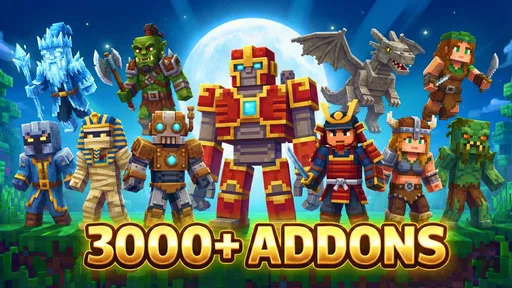
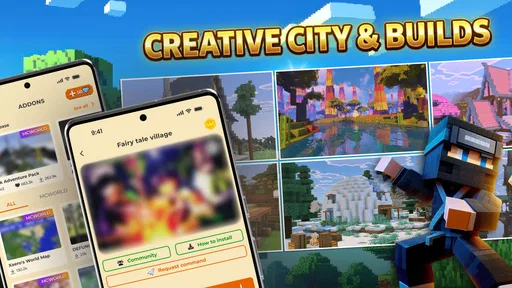
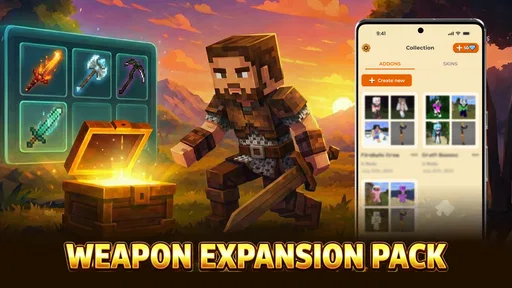
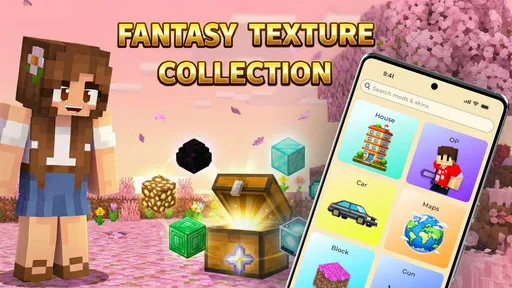
Maps are a natural choice when I want a ready-made place to explore without building the starting area myself. They can suit a quick visit, a themed session, or a change of pace from a familiar world. Skins are a more personal, low-commitment way to refresh a character’s appearance. Mods and add-ons can make a session feel more different, while realistic shaders are best approached as a visual choice: they change presentation, not the basic reason you opened the game.
That distinction helps avoid a common disappointment. If I want a new challenge or a different kind of interaction, I would look at the description of a mod or add-on rather than expecting a skin or shader to provide it. If I only want a visual refresh, there is little reason to introduce a more involved gameplay change. Matching the download to the goal keeps the browsing useful and reduces clutter.
Settings and checks that make installs smoother
Before installing anything, I’d check that Minecraft is updated in the way I normally keep it and that the selected content is described for a compatible setup. The app’s current version is 1.2.8, and it requires Android 7.0 or later. Those details help with the app itself, but they do not guarantee that every individual download will suit every Minecraft configuration.
Shaders deserve an extra check. Visual effects can be more demanding than a simple skin or map, so I would try one in a world where performance does not matter much before deciding to keep it for regular play. If movement becomes less comfortable or the image is harder to read, the visual upgrade may not be worth the trade-off on that device. A shader that looks appealing in a preview is not automatically the best choice for a long session.
I’d also keep a simple record of what I changed: the item’s name, the world I tested it in, and whether it worked as expected. This is not a special app feature; it is an easy way to remember which change caused a problem if I try several downloads over time. When something goes wrong, returning to the last known-good setup is far easier if I have not installed a batch of unrelated items at once.
For a world shared with friends or family, I’d be more cautious still. Confirm that everyone is comfortable with the content before building a session around it, and keep an untouched copy of any world that matters to you. That simple separation is useful whether the content works perfectly or turns out not to fit the group’s plans.
Build speed through habits, not guesswork
The fastest way I know to use a content installer is to narrow the job before opening it. Decide whether you are looking for a map, a character skin, a gameplay change, or a visual effect. Then browse only for that purpose, read the relevant description, and test the result before moving on. This is more efficient than downloading a collection of items first and trying to work out later which one caused a change.
I would also separate discovery from installation. On one visit, browse and note a few candidates; on another, install and test one. That may sound slower than tapping everything that catches your eye, but it avoids confusing a catalog of options with a ready-to-use setup. It is especially helpful when several items make similar promises or when I am not sure which kind of content will improve a particular session.
For regular play, a small personal shortlist is more useful than a large pile of downloads. Keep the map or skin you actually use, and be selective about add-ons that change a world. The point is not to collect everything. It is to make it easy to return to a setup that works, while leaving room to experiment in a separate world whenever curiosity wins.
Compared with searching through general web pages or separate catalogs for each content type, the app’s one-place approach can reduce the effort of finding Minecraft-focused material. The trade-off is that a dedicated source for a particular creator or type of content may offer more context or a narrower selection. If I already know exactly which creator’s work I want, going directly to that creator’s source may be a better route. If I am exploring and want several kinds of MCPE content in one place, this app is the more convenient starting point.
Where the convenience has limits
An installer can simplify access, but it cannot remove the need to judge quality, compatibility, and fit. A download may not behave the way its description led me to expect, and a visual option may not feel comfortable on every device. I would avoid treating a one-tap flow as a reason to skip the description or the test world. Convenience is most valuable when it saves repetitive searching, not when it encourages careless changes.
There is also a difference between trying content and committing to it. A skin is easy to evaluate because the result is visible and does not define a world’s setup. A map can be explored separately. A gameplay add-on deserves more caution because it may affect how a session feels, and I would not build a shared or long-term world around an untested download. If dependable, controlled behavior matters more than variety, sticking to content you already know is a sensible choice.
The app is free to download, with in-app purchases listed from $1.99 to $19.99 per item. I’d check the price shown for anything I choose before confirming a purchase, and I would not assume that every item requires payment. Its audience rating is Teen, so it is worth considering that age guidance when deciding whether it suits a younger player. The developer is RETRO GAMING LABS, and the app sits among library and demo tools rather than being a Minecraft game itself.
Its average rating is 4.5 from around 18,000 ratings, and it has over 1 million installs. Those figures suggest that many players have tried it, but they do not tell me whether a particular mod or map will suit my own device or world. I’d use them as background, not as a substitute for checking each item and testing it safely.
Who I’d recommend it to
I’d recommend Mods & Map for MCPE to players who enjoy trying different maps, skins, add-ons, and visual styles and would rather browse those choices through one Android app. It is particularly handy for someone who wants to refresh a casual session without planning a full content setup in advance. A parent or group organizer may also find the focused selection useful, provided they review downloads and keep important worlds separate.
I’d skip it if I wanted a carefully curated, single-purpose resource, if I only install content from a creator I already trust, or if I prefer to manage every file and setup step manually. It is also not the right shortcut for someone who expects every download to install and behave perfectly without checking instructions. Players who value stability above experimentation will be happier keeping changes limited to familiar content.
My verdict after weighing the workflow
Mods & Map for MCPE is most convincing as a convenient starting point for Minecraft Pocket Edition content, not as a guarantee that every choice will fit. The useful routine is straightforward: pick a goal, inspect the item, test it in a separate world, and keep track of changes that work. Follow that pattern and the app can make discovery less scattered while leaving you in control of what reaches your regular saves.
Released on April 2, 2026, the app gives curious players a broad way to explore MCPE content, with the usual need for care around compatibility and purchases. I would recommend giving it a try if variety is part of what makes Minecraft fun for you. Just keep expectations practical: the best result comes not from tapping through the largest number of downloads, but from choosing a small number that genuinely suit the way you play.
Pros and cons
Pros
- Browse mod and map options in one convenient place.
- Find add-ons tailored to Minecraft Pocket Edition.
- Discover new worlds for fresh gameplay experiences.
- Clear listings help users compare available content.
- Useful for players seeking more Minecraft variety.
Cons
- Some downloads may require extra installation steps.
- Compatibility can vary across Minecraft versions.
- Content quality may differ between listings.
- Some features may depend on an internet connection.
- Check permissions and download sources before installing.


